
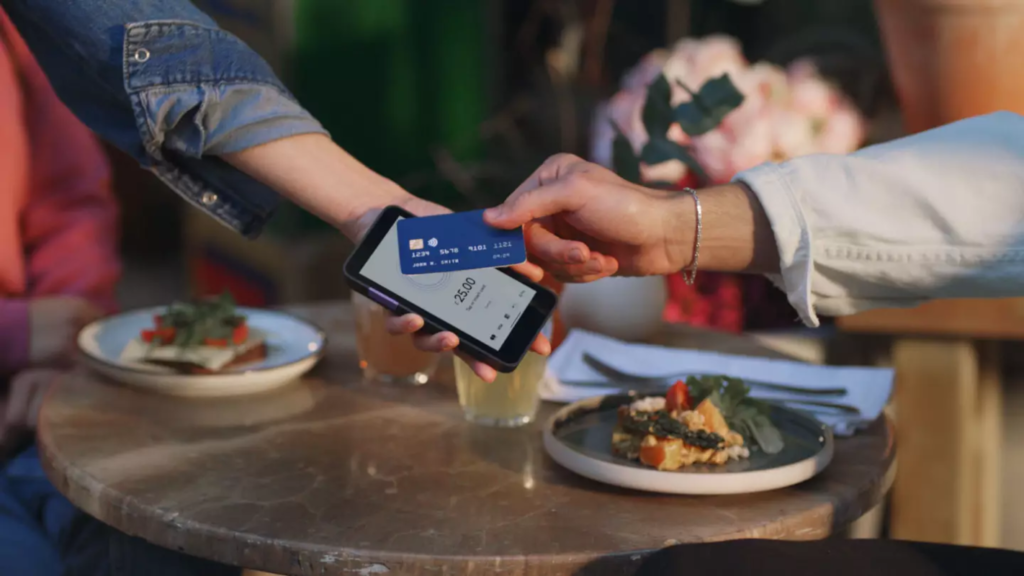
If you’re getting ready to take card payments for the first time, or you simply want to know more about what happens behind the scenes, you’ve come to the right place.
In this article, we’re going to discuss:
- How card readers work for different card payment methods.
- Steps in the card processing process.
- What you need to be able to take payments via card reader.
How does a card reader work?
A card reader works in different ways depending on the method used to pay. They can read information from inserted cards via microchip. They can use Radio Frequency Identification (RFID) or NFC (near-field communication) to receive information from cards/digital wallets placed within a few centimetres of the reader. They can read information from magnetic strips when the card is swiped through them.
We’ve explained in more detail how card readers work with different payment methods below:
How do card readers work with contactless payments?
When a customer taps or hovers their card above the card reader, short-range wireless technology (RFID) captures information about the card and sends it to the machine. This information and wireless technology is stored on a tiny microchip on the card. We discuss contactless payments in more detail in a separate post.
How do card readers work with chip and PIN payments?
Payment cards have microchips which record the PIN number associated with the card. The reader reads the chip of an inserted card, and if the inputted PIN matches the chip, then the transaction begins. We discuss chip and PIN in more detail in a separate post.
How do card readers work with Apple Pay/Google Pay?
When customers pay with Apple Pay/Google Pay, NFC technology is used. When you hold your phone or smartwatch close to the card reader, the two devices communicate wirelessly and encrypted payment information is transmitted to the reader.
Steps in the card processing process
Now you know how card readers receive information from cards, what happens next?
Step 1 – Customer attempts payment
- The customer presents their card (contactless, chip and PIN, swipe) or uses another method like using a card stored on their phone digital wallet.
- The card reader sends the card information to the acquiring bank.
Step 2 – Payment authorised (or not!)
- The acquiring bank makes a request for the funds from the issuing bank of the card.
- The issuing bank checks if the customer has enough funds in their bank and uses fraud detection software to verify if the request is legitimate.
- The issuing bank approves or rejects the transaction and displays the decision on the card reader display. If approved, a hold is put on the funds.
Step 3 – Capture and settlement
- The funds are “captured”, meaning they are moved from the card company to the acquiring bank (your merchant account).
- The funds stay here for 1-3 days usually before making their way to your business bank account (known as “settlement”).
Can I use my smartphone as a card reader?
You can use your smartphone as a card reader. This is fine for one-off payments here and there but be aware that many customers will not feel comfortable paying this way, so don’t rely on it as your main method of taking payments.
You can install apps like Apple Pay, Google Pay, and SumUp Tap on your phone which turn it into a contactless card reader. Your customers scan their card or hold it on the back of your phone until they hear a beep, and then payment can be authorised.
What do I need to take card payments with a card reader?
To take payments in person with a card reader, you’ll need:
- The card reader itself! – we’ve rounded up the best card readers for small businesses so you can see exactly which model suits the type of business you have.
- A payment processor – you pay them to process all the transactions and you can get your card machine from them.
- A merchant account (sometimes) – a merchant account is a holding pen for the funds before they are sent to your business bank account. Sometimes payment processors offer this with the package saving you the hassle of setting one up separately.
- A business bank account – most payment processors won’t transfer money into a personal bank account from your merchant account.
- PCI DSS compliance – your payment processor will cover PCI DSS (Payment Card Industry Data Security Standard) compliance, but be sure to check this before signing up with them.
- POS system hardware (optional) – you might want to add things like a receipt printer, cash drawer, and tablet display to go with the card reader.
Do card readers need Internet access to work?
Some card readers need a WiFi connection in order to work, and some don’t. The ones that don’t can use 3G or 4G instead. If you need a card reader that can perform offline, be sure to check the specifications before working and consider the network coverage of the area you are working in.
Can I have a card reader without a business bank account?
You usually need a business bank account rather than a personal one to take payments with a card reader. You don’t necessarily need a merchant account though (this is the holding pen for the money before it goes to your own business bank account).
Conclusion
If you’re new to taking card payments or you’re simply looking for a better deal, then CardSwitcher can help out. We help you save up to 40% on card processing costs – click the button below to see what the best deal is for you.
Source: https://www.cardswitcher.co.uk/
