
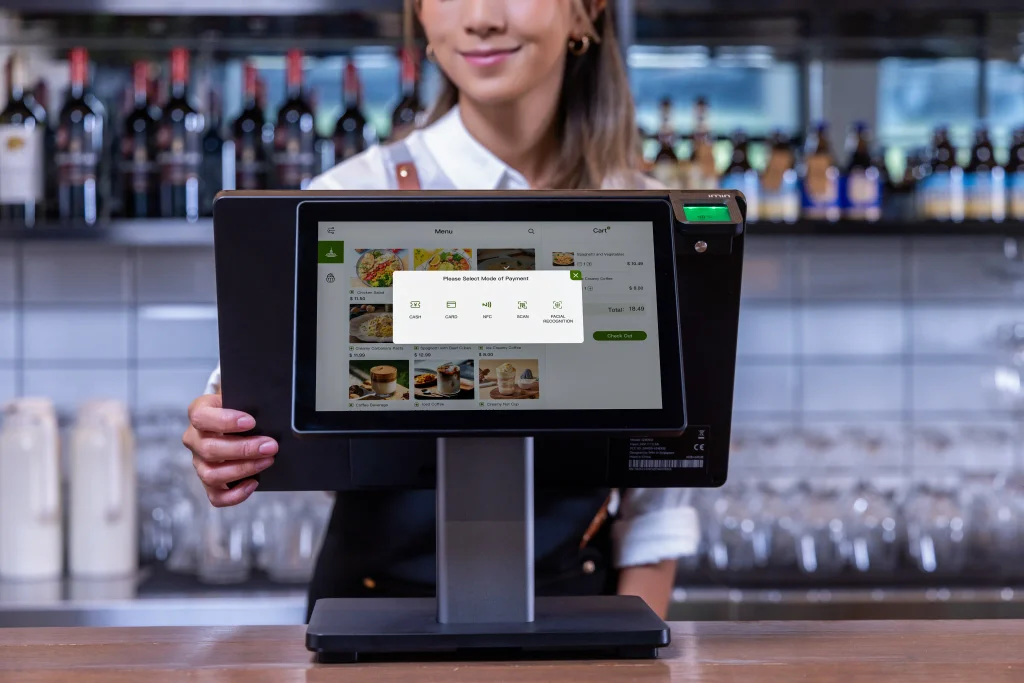
Running a busy retail store, restaurant, café or hospitality business requires more than just a reliable till. Modern businesses need a point-of-sale system that is fast, easy to use, flexible enough to integrate with different software and capable of creating a better experience for both staff and customers.
The iMin Swan 2 Dual Screen POS is designed to meet these requirements with an all-in-one Android POS platform featuring a large main touchscreen and an optional customer-facing secondary display. With its combination of performance, connectivity and flexible configurations, the Swan 2 provides a practical solution for businesses looking to modernise their checkout and ordering operations.
What Is the iMin Swan 2 Dual Screen?
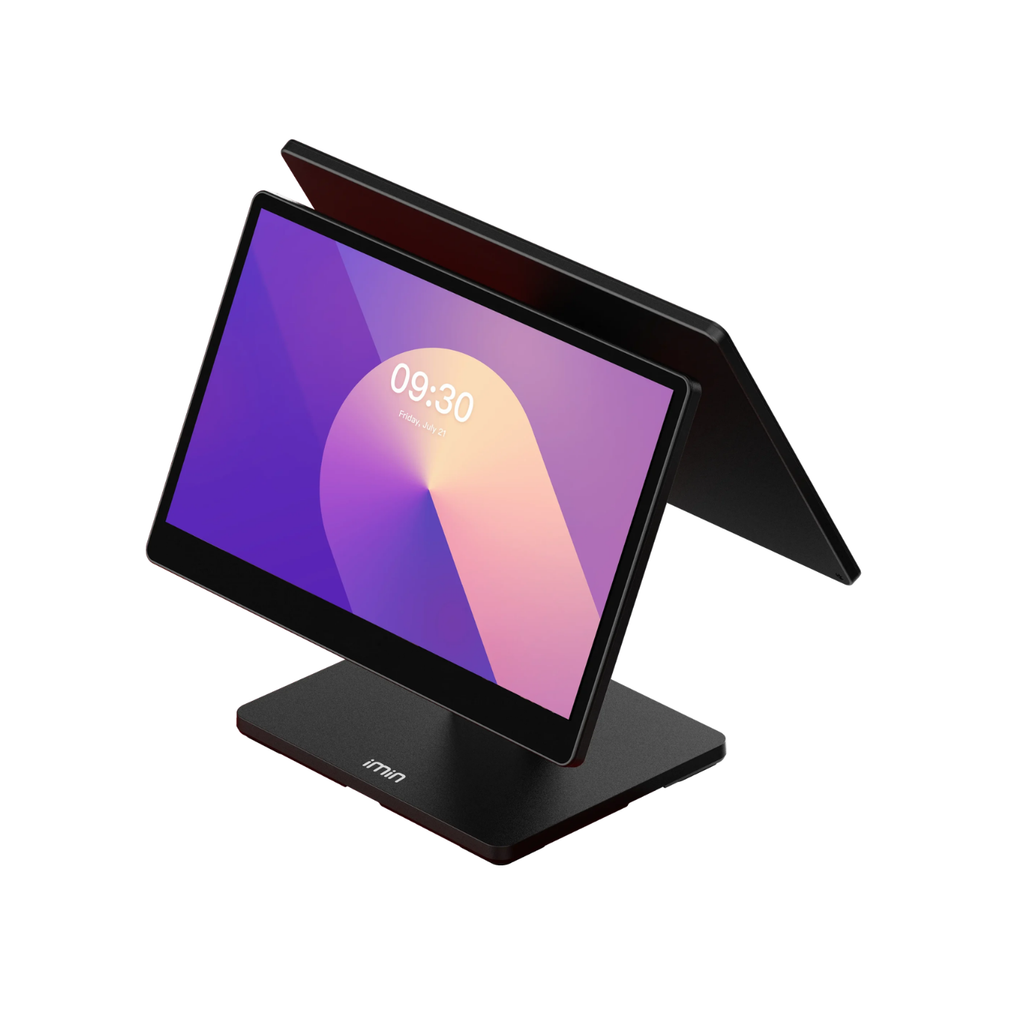
The iMin Swan 2 is an Android-based desktop POS system built around a 15.6-inch touchscreen. For businesses that want a customer-facing display, the system can be configured with either a 10.1-inch HD secondary screen or a 15.6-inch Full HD secondary display.
This dual-screen configuration allows employees to operate the POS from the main screen while customers can view relevant information on the second display. Depending on the software being used, the customer display can be used for order confirmation, promotional content, product information or other customer-facing applications.
The result is a more interactive checkout experience without requiring a separate customer display system.
Key Features of the iMin Swan 2
Large 15.6-Inch Main Display
The Swan 2 features a 15.6-inch main touchscreen, available in HD or Full HD configurations depending on the model. The Full HD option provides a 1920 × 1080 resolution, giving staff a spacious interface for POS software, product catalogues, ordering systems and business applications.
The large display is particularly useful in environments where employees need to navigate extensive menus or process multiple items quickly.
Flexible Dual-Screen Options
One of the biggest advantages of the iMin Swan 2 Dual Screen is its choice of secondary displays.
Businesses can select:
- 10.1-inch HD secondary display
- 15.6-inch Full HD secondary display
This flexibility makes it possible to choose a configuration based on available counter space and the desired customer experience.
A compact 10.1-inch customer display can work well where counter space is limited, while the larger 15.6-inch display provides a more prominent viewing area.
Powered by Android 13
The Swan 2 runs Android 13, 64-bit, providing a familiar platform for Android-compatible POS applications and business software. The system uses an octa-core A55 processor running at 2.0GHz and can be configured with up to 4GB RAM and 64GB storage.
The available 4GB RAM and 64GB ROM configuration provides a useful balance between everyday POS performance and storage capacity, particularly for businesses running multiple applications or storing offline business data.
Reliable Connectivity for POS Environments
A modern POS system needs to communicate with payment devices, printers, networks and other peripherals. The iMin Swan 2 provides several connectivity options, including:
- Wi-Fi 6
- Bluetooth 5.4
- Gigabit Ethernet
- HDMI
- USB-A
- USB-C
- RJ45
- RJ11 and RJ12
- TF card support up to 1TB
Wi-Fi 6 provides fast wireless networking, while Gigabit Ethernet offers a wired networking option for businesses that prefer a stable connection at the checkout.
The HDMI connection also allows compatible external displays or digital signage equipment to be connected, expanding the potential applications of the system.
More Than Just a Checkout Terminal
The iMin Swan 2 is designed as a flexible desktop POS platform rather than simply a traditional cash register. Its hardware configuration can support different business requirements, with iMin offering versions designed around payment, printing, weighing and labelling applications.
For retailers, this flexibility can help create a central workstation for sales and inventory-related tasks. Restaurants and cafés can use compatible POS software for ordering and table management, while hospitality businesses can use the large touchscreen as an interface for customer service applications.
Ideal for Retail
Retailers can benefit from the Swan 2’s large touchscreen and dual-display configuration.
Staff can use the main screen to:
- Search products
- Process sales
- Apply discounts
- Manage orders
- Access customer information
- Process returns
- Run compatible retail applications
At the same time, the customer-facing screen can display order information or promotional content, helping make the checkout process more transparent and engaging.
A Practical POS for Restaurants and Cafés
Restaurants, cafés and quick-service businesses increasingly rely on touchscreen POS systems to improve ordering speed and accuracy.
The iMin Swan 2 Dual Screen POS can provide staff with a large, easy-to-navigate interface while giving customers visibility of their order. When paired with suitable restaurant POS software and peripherals, the system can become the central point for managing orders and transactions.
The optional printer configurations available within the Swan 2 family can also support receipt printing. The printer versions can be configured with 58mm or 80mm thermal printers, with the 80mm option offering printing speeds of up to 250mm/s and an automatic cutter.
Designed for Modern Business Workflows
The Swan 2 supports Wi-Fi 6, Bluetooth 5.4 and Gigabit Ethernet, making it suitable for connected business environments.
The system can also be enhanced with optional accessories such as NFC, a scanner and an AI camera, depending on the specific configuration. Businesses can therefore select additional hardware according to their POS requirements rather than investing in unnecessary features.
iMin Swan 2 Dual Screen Specifications
| Feature | Specification |
|---|---|
| Main Display | 15.6-inch HD or Full HD |
| Main Resolution | Up to 1920 × 1080 |
| Secondary Display | 10.1-inch HD or 15.6-inch Full HD |
| Processor | Octa-core A55, 2.0GHz |
| RAM | Up to 4GB |
| Storage | Up to 64GB |
| Operating System | Android 13, 64-bit |
| Wi-Fi | Wi-Fi 6 |
| Bluetooth | Bluetooth 5.4 |
| Ethernet | Gigabit Ethernet |
| HDMI | 1 |
| USB-A | 5 |
| USB-C | 1 |
| TF Card | Up to 1TB |
| Operating Temperature | -10°C to 50°C |
Specifications can vary by configuration, so businesses should confirm the exact model and accessories before purchasing.
Why Choose a Dual-Screen POS?
A dual-screen POS system can improve the checkout experience by giving both the employee and customer their own viewing area.
Instead of having customers look over the operator’s shoulder, the second screen can provide a dedicated customer-facing interface. This can be useful for:
Order confirmation: Customers can check that items and quantities are correct before payment.
Promotional content: The customer display can potentially be used to present compatible promotional or advertising content.
Improved transparency: Customers can see transaction details without interrupting the cashier.
More engaging checkout: A customer-facing touchscreen creates opportunities for interactive POS experiences.
The exact functionality depends on the POS software and configuration used with the hardware.
Who Is the iMin Swan 2 Dual Screen For?
The Swan 2 is a versatile choice for businesses looking for an Android desktop POS system with a customer-facing display.
It can be particularly suitable for:
- Retail shops
- Supermarkets and convenience stores
- Cafés
- Restaurants
- Quick-service restaurants
- Hospitality businesses
- Takeaway businesses
- Small and medium-sized businesses
- Service businesses
- Other businesses using Android POS applications
Its multiple configurations allow businesses to select the display, memory and peripheral options that best match their operational requirements.
Final Thoughts
The iMin Swan 2 Dual Screen POS combines a large 15.6-inch touchscreen, Android 13, Wi-Fi 6, Bluetooth 5.4 and flexible secondary-display options in an all-in-one desktop POS platform.
For businesses that want to move beyond a traditional single-screen till, the dual-screen configuration offers an opportunity to create a more customer-friendly checkout experience while keeping the operator’s POS interface separate.
With support for multiple peripherals and configurations, the Swan 2 can also be adapted for retail, hospitality, restaurant and other commercial environments.
If you’re looking for a dual-screen Android POS system, the iMin Swan 2 is a flexible option worth considering for modern point-of-sale operations.
