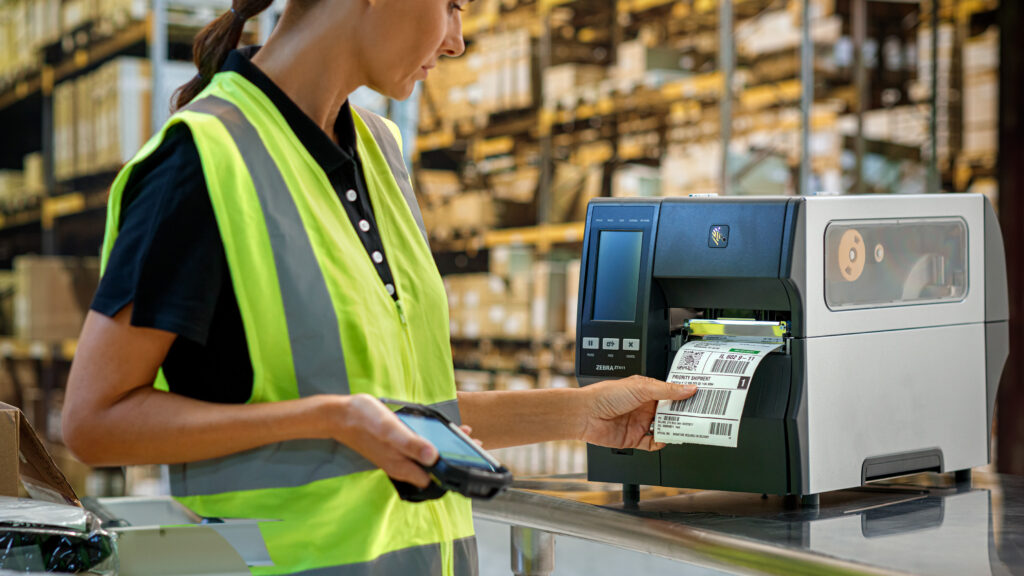
If you’re searching for the best barcode label printer Zebra, you’re looking for a trusted solution that delivers accurate, high-quality labels for retail, warehousing, healthcare, logistics, manufacturing, and more. Zebra barcode label printers are known worldwide for their durability, speed, and exceptional print quality, helping businesses improve efficiency and reduce labeling errors.
Whether you need to print shipping labels, product labels, asset tags, or barcode labels, Zebra offers a printer designed to meet your business requirements.
Why Choose a Zebra Barcode Label Printer?
A Zebra barcode label printer provides several advantages over standard label printers:
- High-resolution barcode printing for maximum scanning accuracy
- Fast print speeds to increase productivity
- Reliable performance in demanding environments
- Compatible with thermal labels and tags
- Supports USB, Ethernet, Wi-Fi, and Bluetooth connectivity (model dependent)
- Easy integration with warehouse, retail, and inventory management systems
- Low maintenance with direct thermal and thermal transfer printing options
Direct Thermal vs Thermal Transfer
Before selecting a Zebra barcode printer, it’s important to understand the two main printing technologies.
Direct Thermal Printing
Direct thermal printers create images without ink or ribbons. They are ideal for:
- Shipping labels
- Courier labels
- Receipt labels
- Short-term product labels
Benefits:
- Lower operating costs
- Fewer consumables
- Simple maintenance
Thermal Transfer Printing
Thermal transfer printers use a ribbon to create long-lasting labels that resist:
- Heat
- Moisture
- Chemicals
- Abrasion
- Sunlight
Ideal for:
- Asset labels
- Manufacturing labels
- Laboratory labels
- Outdoor labels
- Long-term inventory identification
Best Zebra Barcode Label Printers
Zebra ZD421
The Zebra ZD421 is an excellent desktop barcode label printer for small to medium-sized businesses.
Ideal for:
- Retail
- Offices
- Healthcare
- Inventory labeling
Features include:
- Compact design
- Easy media loading
- Wireless options
- Excellent print quality
- User-friendly operation
Zebra ZD621
The Zebra ZD621 builds on the ZD421 with premium features and enhanced performance.
Suitable for:
- Healthcare
- Warehousing
- Retail
- Logistics
Benefits include:
- Faster processing
- Advanced security
- Color touchscreen (selected models)
- Multiple connectivity options
Zebra ZT231
For industrial applications, the Zebra ZT231 offers durability and high-volume printing.
Perfect for:
- Manufacturing
- Distribution centers
- Warehouse operations
- Production lines
Features:
- Rugged metal construction
- High-duty cycle
- Large media capacity
- Reliable 24/7 performance
Zebra ZT411
The Zebra ZT411 is one of Zebra’s most popular industrial barcode label printers.
Ideal for businesses requiring:
- Continuous printing
- High-speed performance
- RFID options
- Multiple print resolutions
- Advanced management tools
Common Applications
A barcode label printer Zebra is widely used across many industries.
Retail
Print:
- Price labels
- Shelf labels
- Inventory labels
- Product barcodes
Warehouse & Logistics
Produce:
- Shipping labels
- Pallet labels
- Bin location labels
- Carton labels
Healthcare
Create:
- Patient identification labels
- Specimen labels
- Pharmacy labels
- Medical asset labels
Manufacturing
Print:
- Compliance labels
- Component labels
- Work-in-progress labels
- Asset tracking labels
Choosing the Right Zebra Barcode Label Printer
Consider these factors before purchasing:
- Daily print volume
- Label size requirements
- Print resolution
- Connectivity options
- Direct thermal or thermal transfer
- Desktop or industrial design
- Future scalability
Selecting the right model ensures reliable performance while minimizing operating costs.
Benefits of Investing in a Zebra Barcode Label Printer
Businesses choose Zebra because of its reputation for quality and long-term reliability.
Key benefits include:
- Improved inventory accuracy
- Faster barcode scanning
- Reduced labeling errors
- Increased employee productivity
- Lower maintenance costs
- Excellent return on investment
Frequently Asked Questions
What is a Zebra barcode label printer used for?
Zebra barcode label printers are used to print barcode labels, shipping labels, product labels, inventory tags, asset labels, and identification labels across various industries.
Do Zebra printers require ink?
No. Zebra barcode label printers use thermal printing technology and do not require ink cartridges. Thermal transfer models use ribbons, while direct thermal models print without ribbons.
Which Zebra printer is best for small businesses?
The Zebra ZD421 is an excellent choice for small businesses due to its affordability, compact design, and dependable performance.
Can Zebra barcode printers print shipping labels?
Yes. Zebra printers are commonly used for shipping labels by warehouses, courier companies, and eCommerce businesses.
Find the Right Barcode Label Printer Zebra for Your Business
Choosing the right barcode label printer Zebra can significantly improve your labeling accuracy, workflow efficiency, and inventory management. From compact desktop models for retail stores to heavy-duty industrial printers for warehouses and manufacturing facilities, Zebra offers dependable solutions for virtually every application.
Whether you’re upgrading your existing labeling system or implementing barcode printing for the first time, investing in a Zebra barcode label printer is a smart choice for long-term productivity and reliability.
